GitHub App for Microsoft Teams
Overview
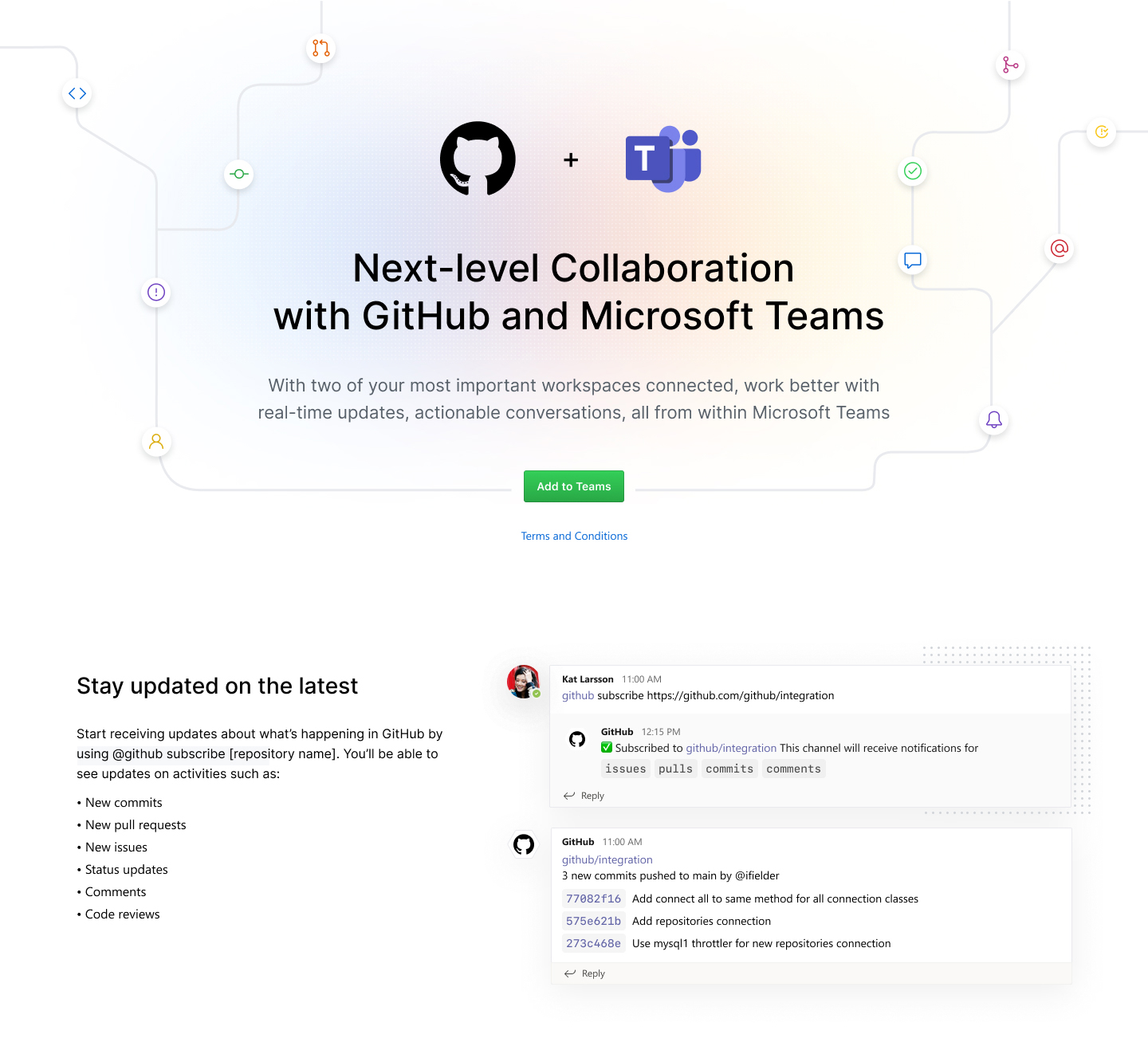
Engineering teams increasingly work across distributed locations, switching between GitHub for code and Microsoft Teams for communication. Our goal was to bridge this gap by bringing GitHub's core workflows directly into Teams, serving development teams, engineering leaders, and cross-functional collaborators.
Research & Discovery
We conducted comprehensive research to understand:
- Teams' bot framework and adaptive cards capabilities
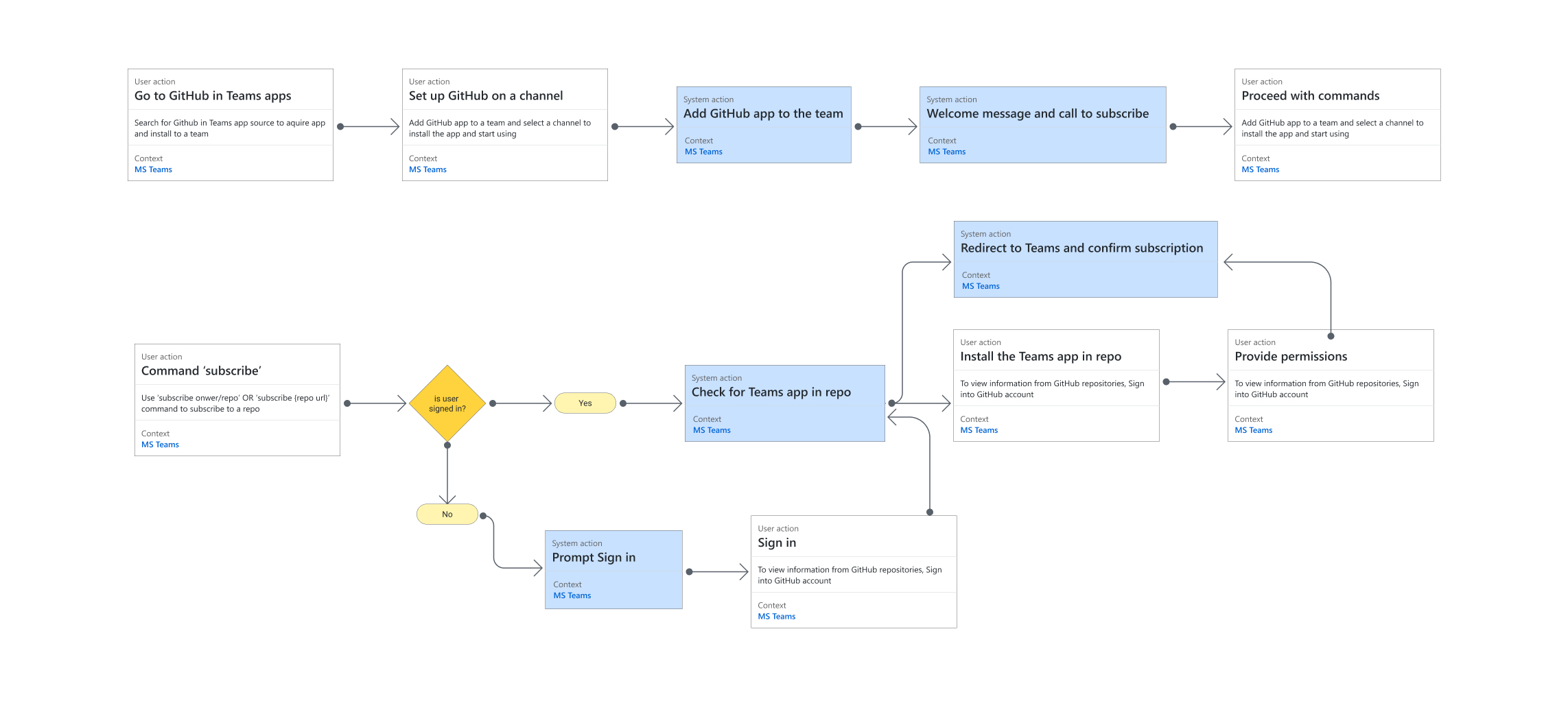
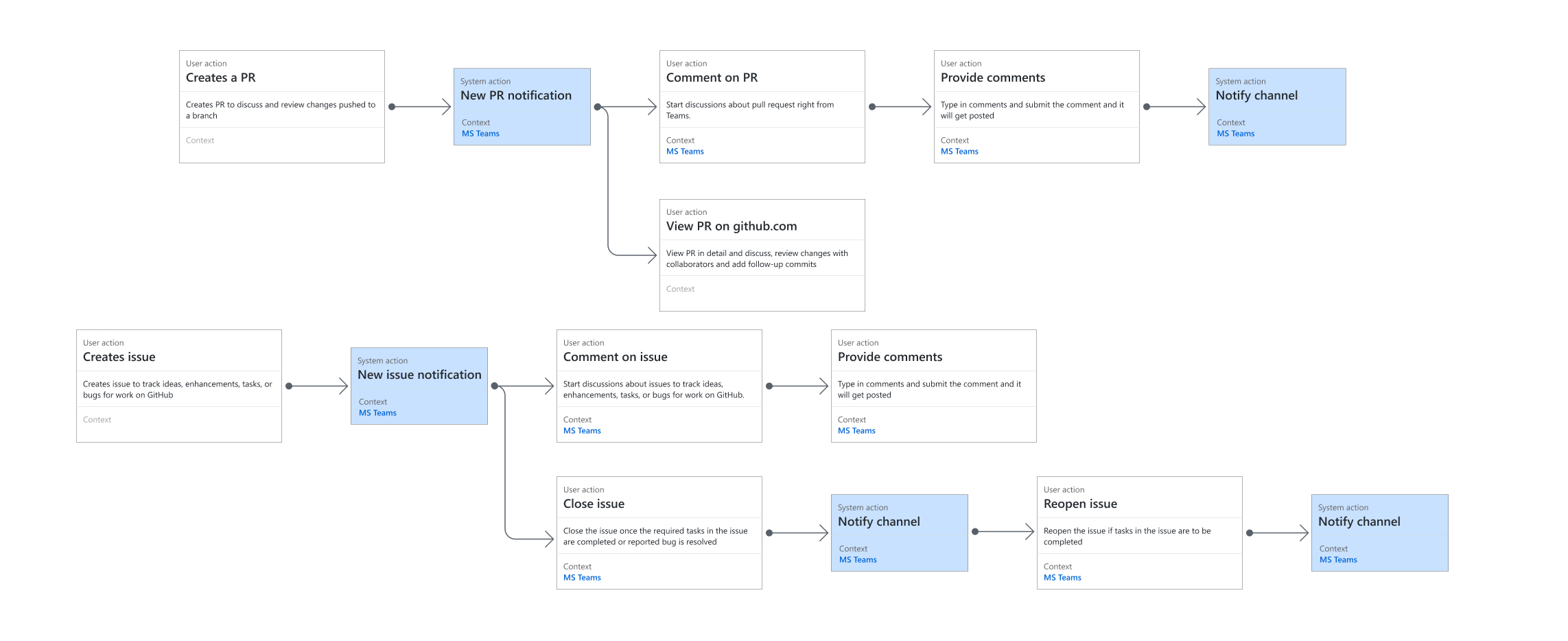
- User workflows through experience mapping
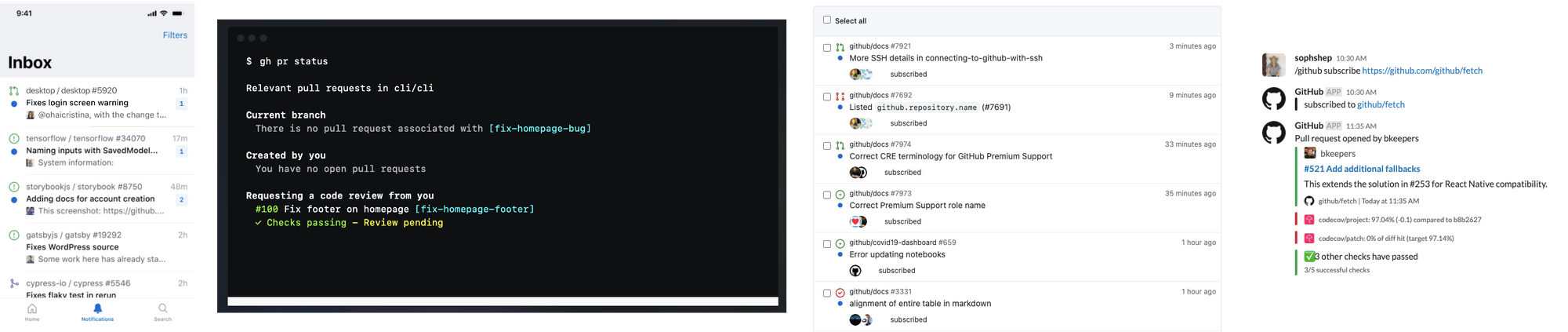
- Existing integration patterns across Slack, email, and mobile
- Real-world collaboration patterns via team interviews
Key Problems
-
Context Switching Cost
- Productivity loss from constant tool switching
- Unable to action notifications within Teams
- Manual information copying between platforms
-
Collaboration Barriers
- Delayed awareness of repository changes
- Missed pull request reviews
- Difficulty tracking tasks across time zones
Solution
Core Features
-
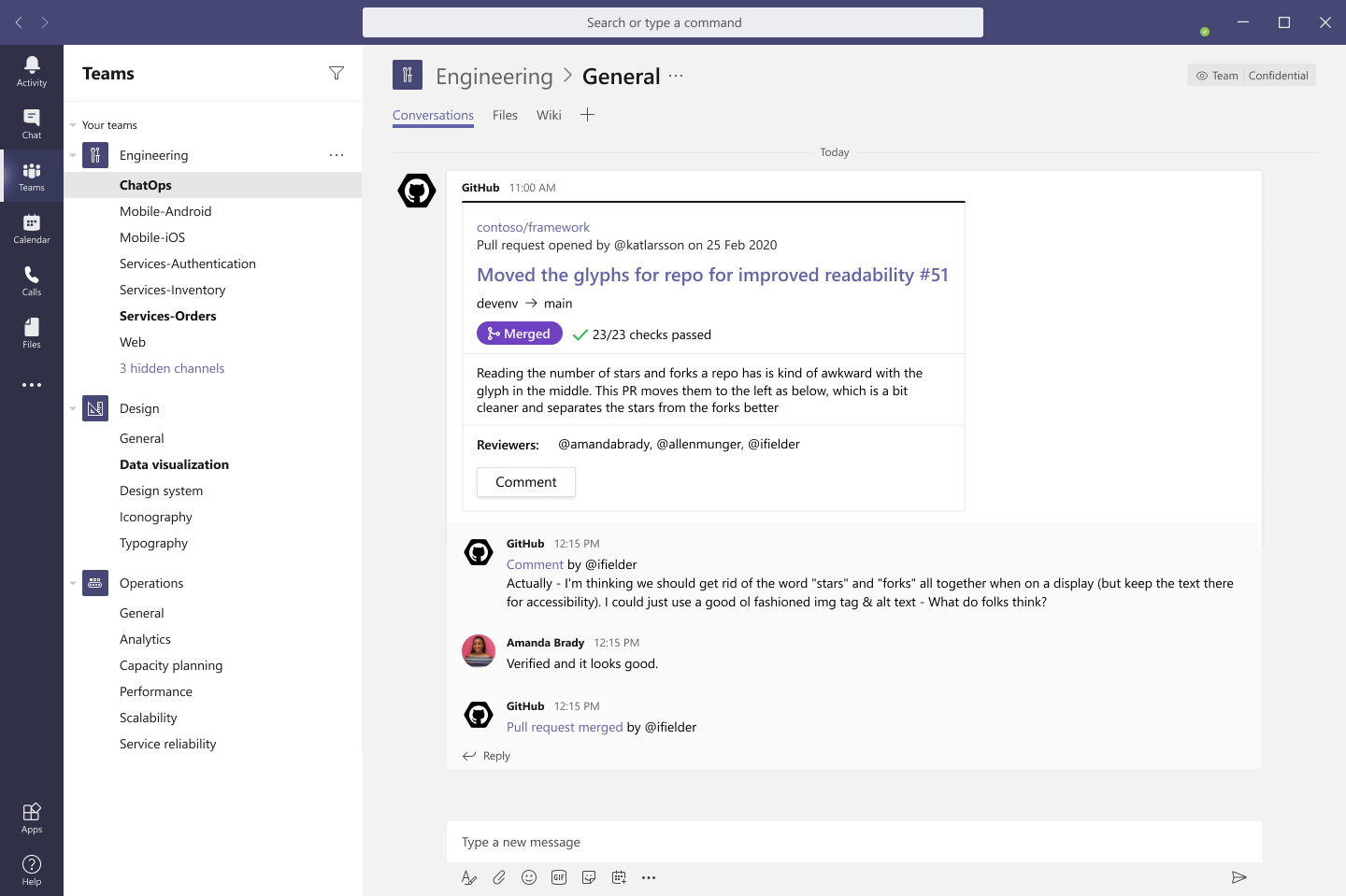
Repository Notifications in Teams
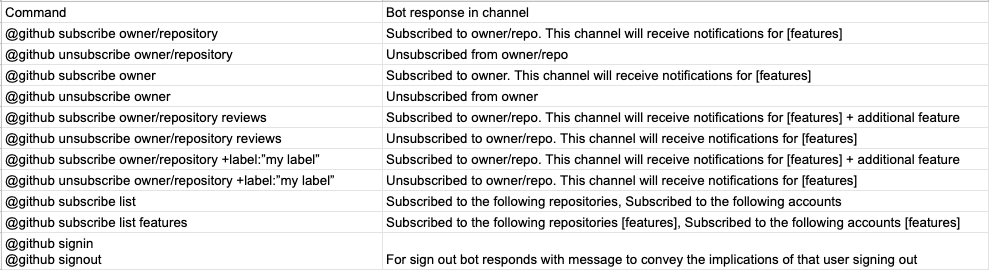
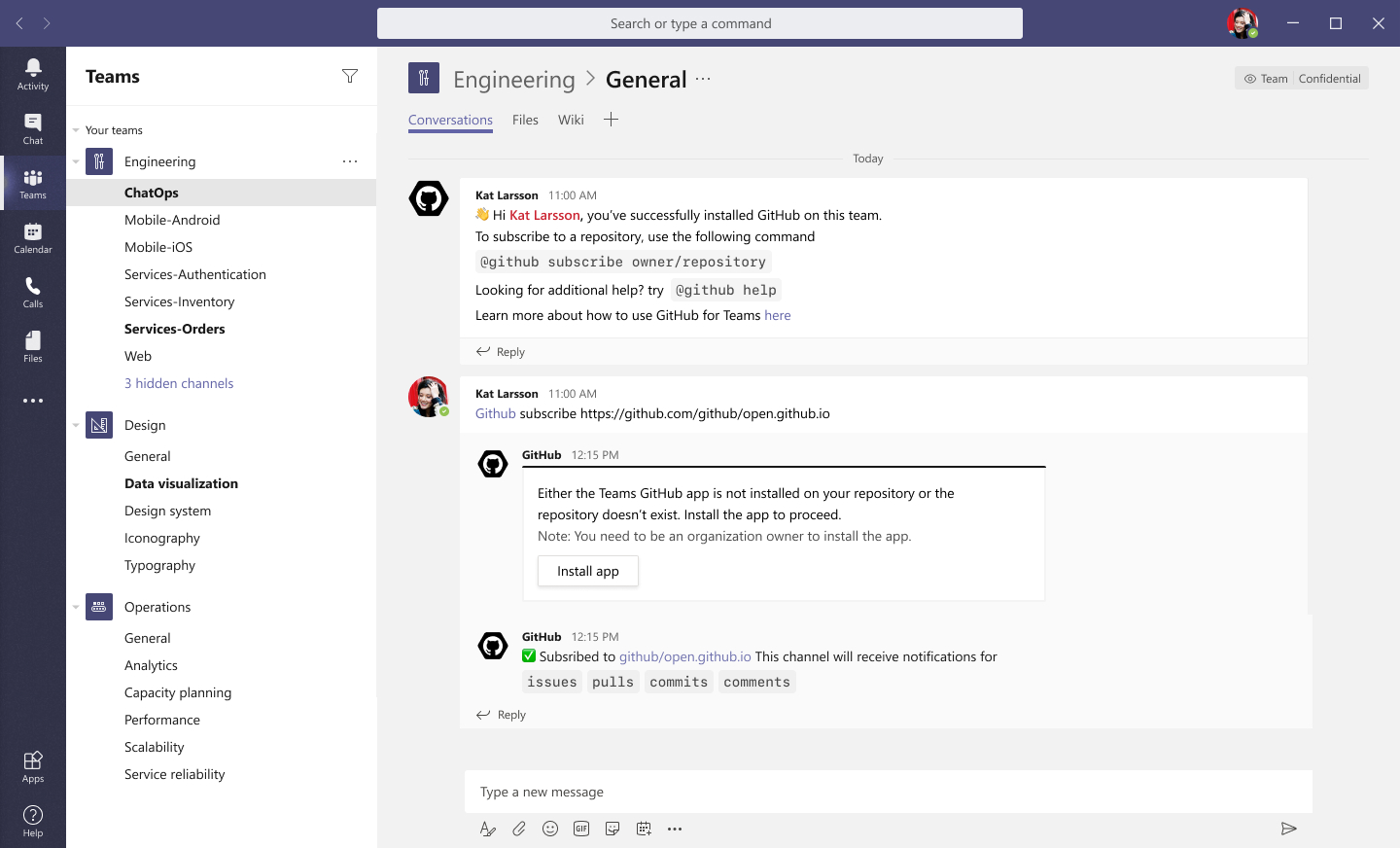
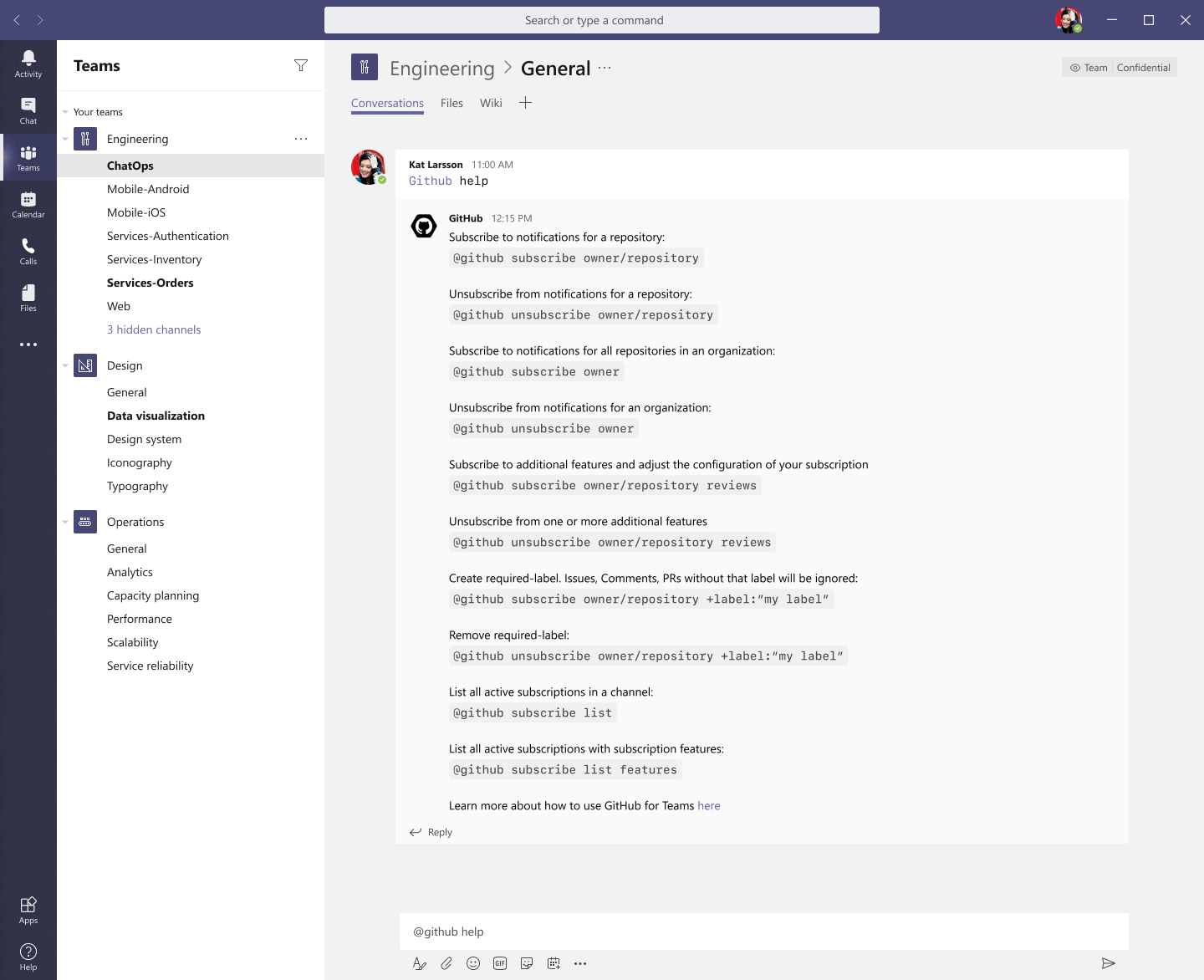
- Channel-based repository subscriptions
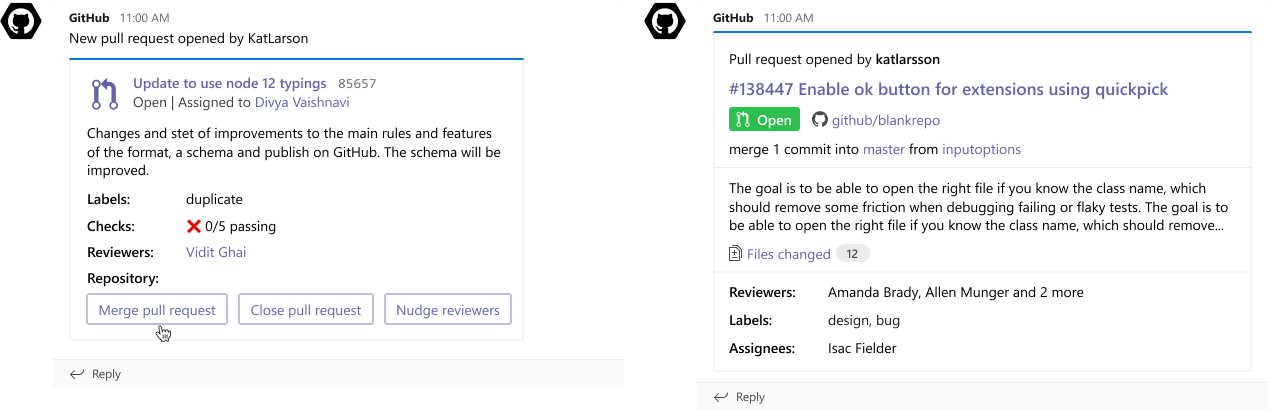
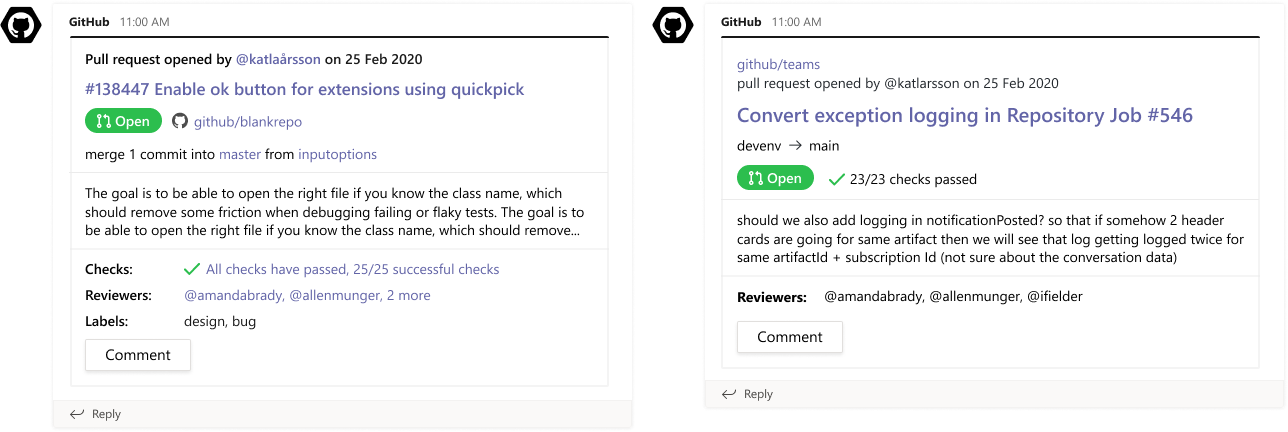
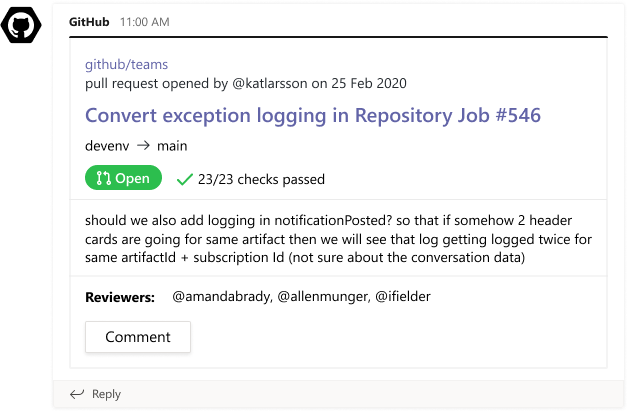
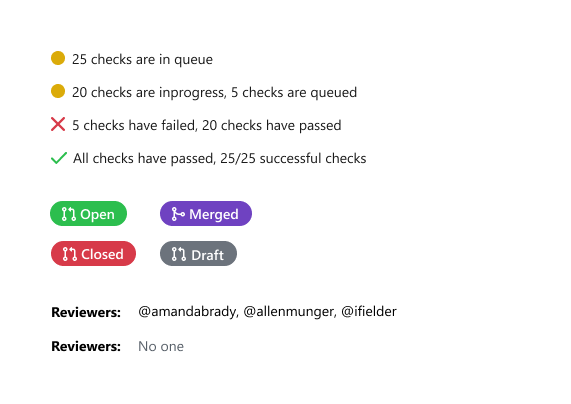
- Actionable cards for PRs and issues
- Rich previews for GitHub links
-
Seamless Integration
- In-Teams issue management
- Personalized notification bot
- Configurable review reminders
Results & Impact
Testing & Validation
- Alpha tested with 5 organizations
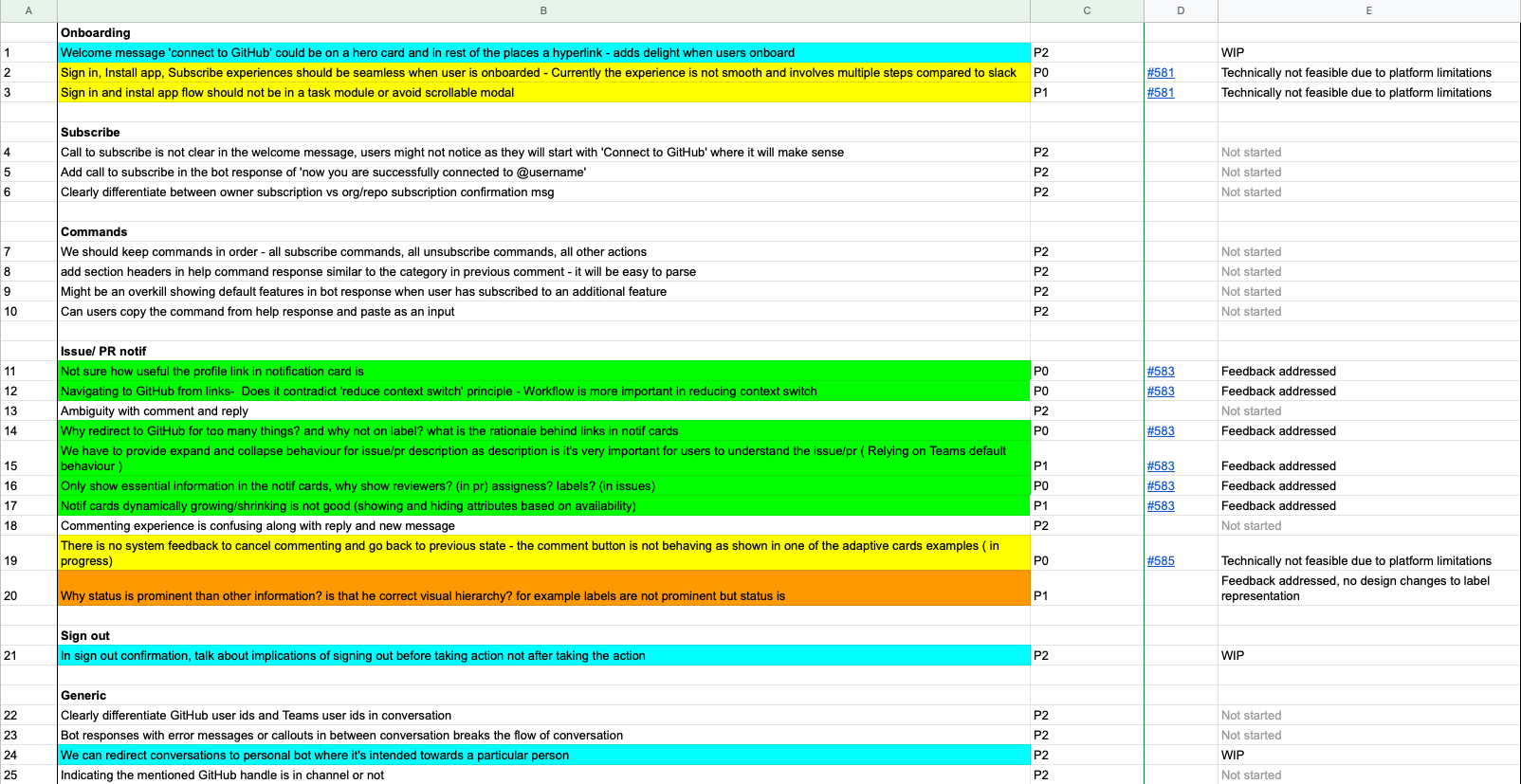
- Beta program with 10 detailed usability sessions
- Regular stakeholder and platform design reviews
Launch Metrics
- 3,500+ active teams
- 31,000+ notifications processed
- 80% feature parity with Slack integration
User Reviews
Here's what users are saying about the integration:
"The documentation could be improved, and the integration itself isn't perfect, but overall I'm happy and grateful for it!"
"i've got this configured for our 2 GitHub organisations and it works well. i can now stream line PR reviews in to specific channels and make sure the team are seeing what they need to see, when they need to see it."
"Wish there were more features! Pretty basic feature set, but works as expected"